
A Complete Guide to Installing IPTV on Google TV & Chromecast
Follow these simple steps to get IPTV on your Google TV device.
Step 1: Install Downloader by AFTVnews
The Downloader app is the tool you'll use to download your IPTV app, since it isn't available on the Google Play Store. Install it, then adjust one security setting.
Go to the Google Play Store, search for Downloader by AFTVnews, and install it.
In your device's Settings, go to Apps > Security & Restrictions. Enable Unknown sources for the Downloader app.
Step 2: Download & Install IboPlayer
Now you'll use Downloader to get the IboPlayer app.
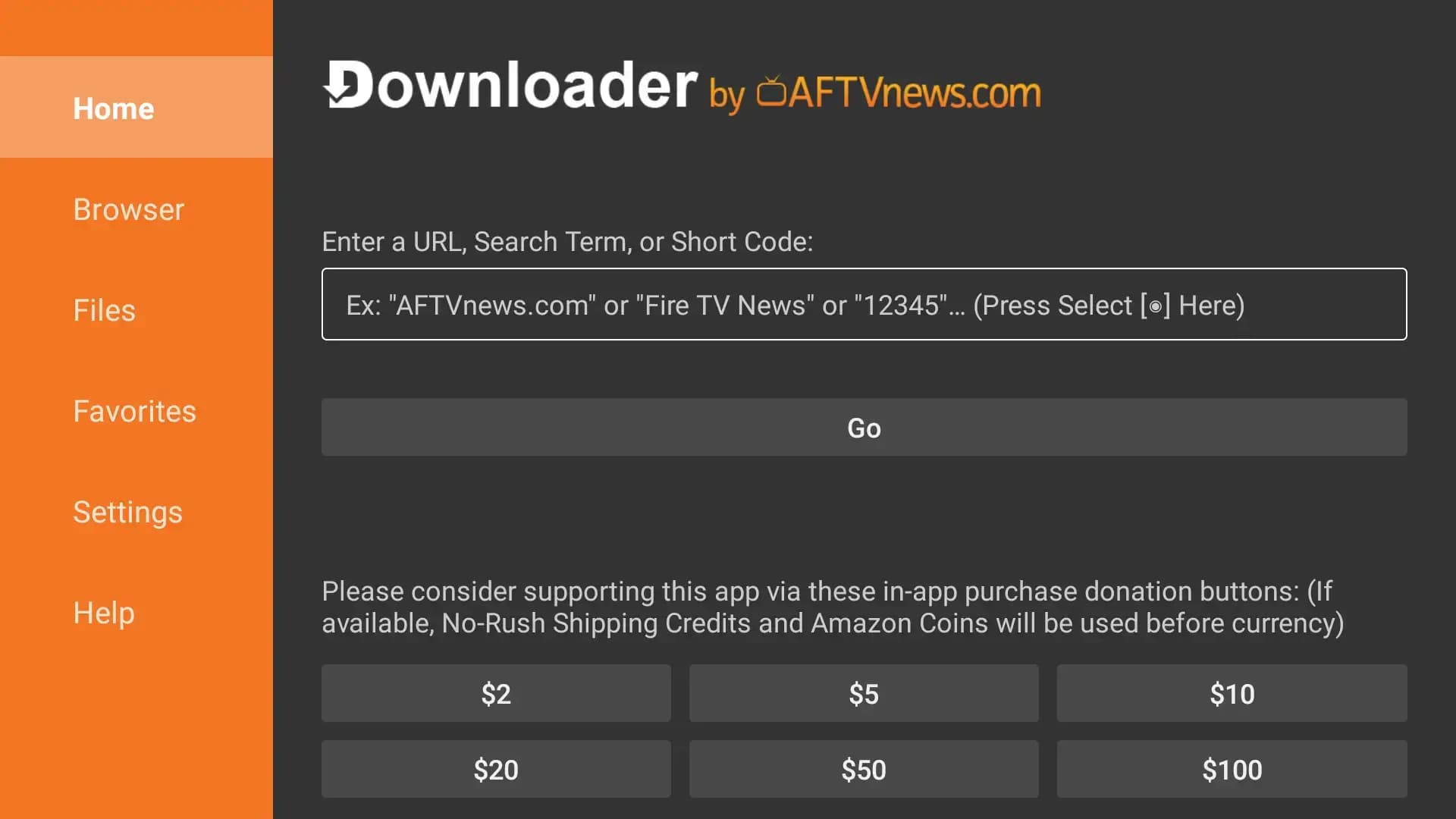
Open the Downloader app. In the URL entry box, type the following code and click Go:
The app will download. Once finished, click Install on the pop-up screen.
After installation, click Done, then Delete the installer file to save space (optional).
Step 3: Logging In & Setup
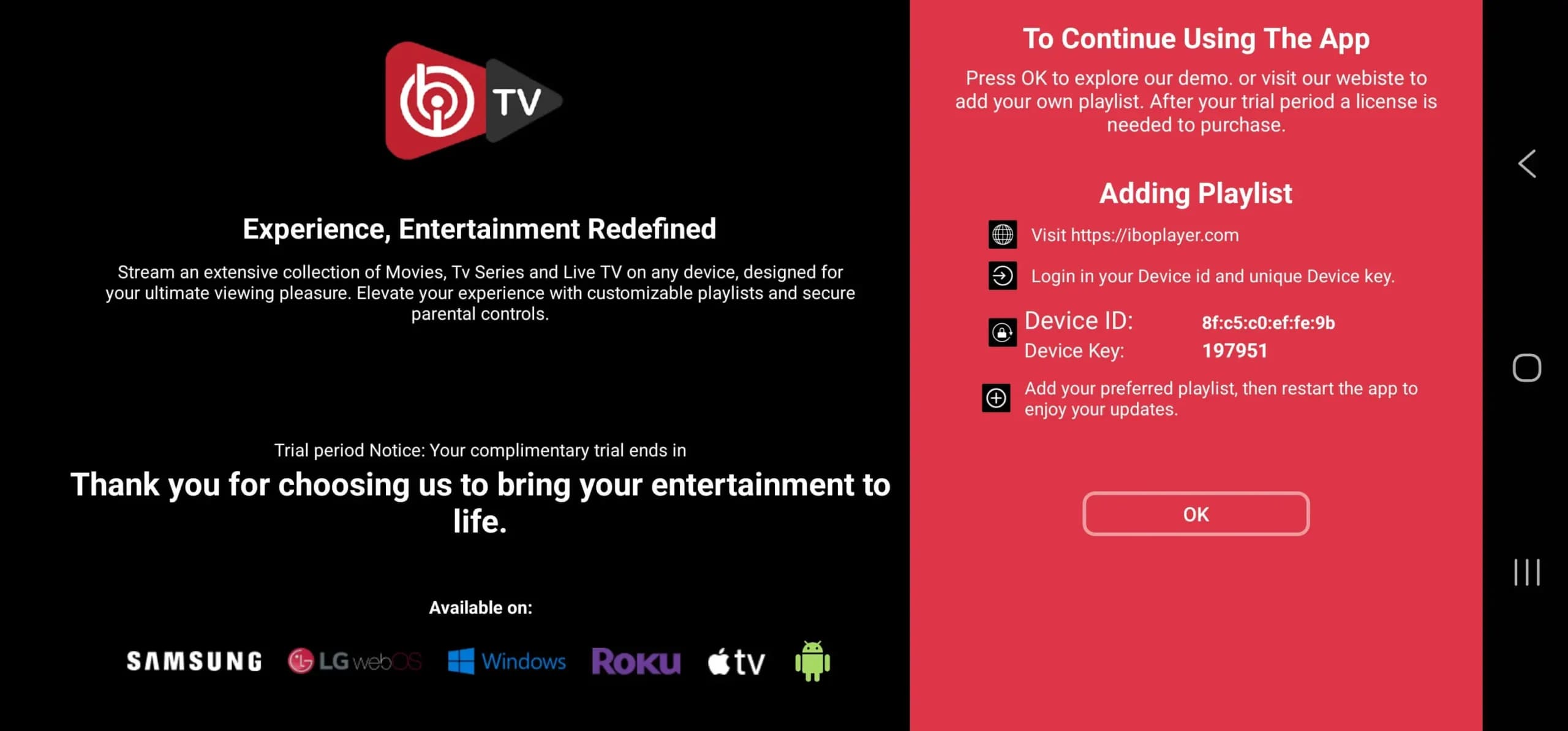
Open the IboPlayer app and note your Device ID and Device Key.
Email: [email protected]
WhatsApp: +1 780-652-6203
You will be notified once the playlist has been uploaded.
Other Device Guides
This guide is for educational purposes only.