
A Complete Guide to Installing IPTV on Android Box
Follow these steps to sideload Ibo Player on your Android device.
Step 1: Install Downloader & Prepare Your Device
Open the Google Play Store, search for "Downloader by AFTVnews" and install it.
Go back to Settings > Security & Restrictions and enable Unknown sources for the Downloader app.
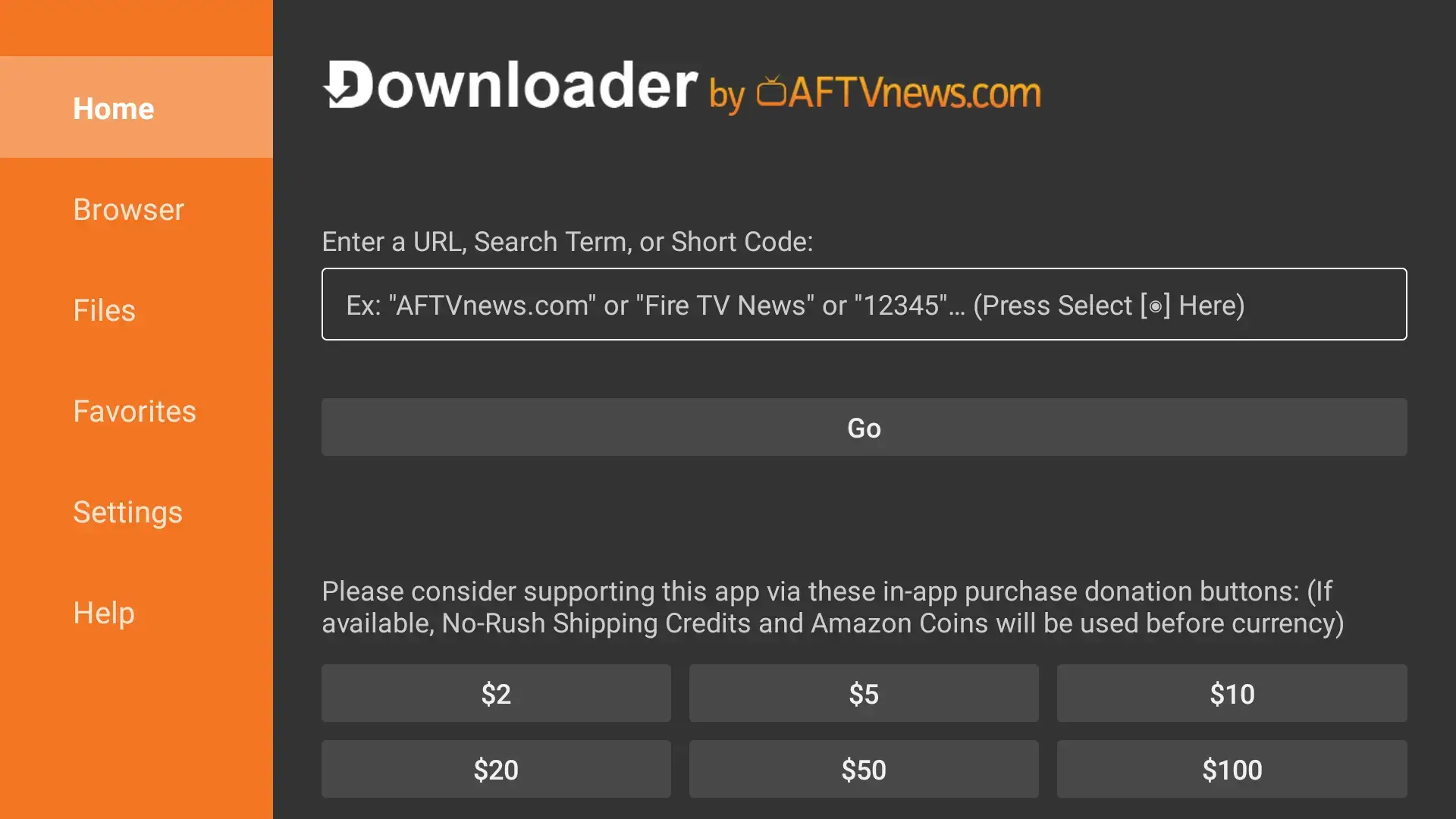
Step 2: Download & Install Ibo Player
Now you will use the Downloader app to get the Ibo Player App.
Open the Downloader app. In the URL entry box, type the following code and click Go:
1171959
The file will download. Once finished, click Install on the pop-up window.
After installation is complete, click Done, then Delete the installer file to free up space. (Optional)
Part 4: Logging In & Setup
Open the IPTV app from your app library
-
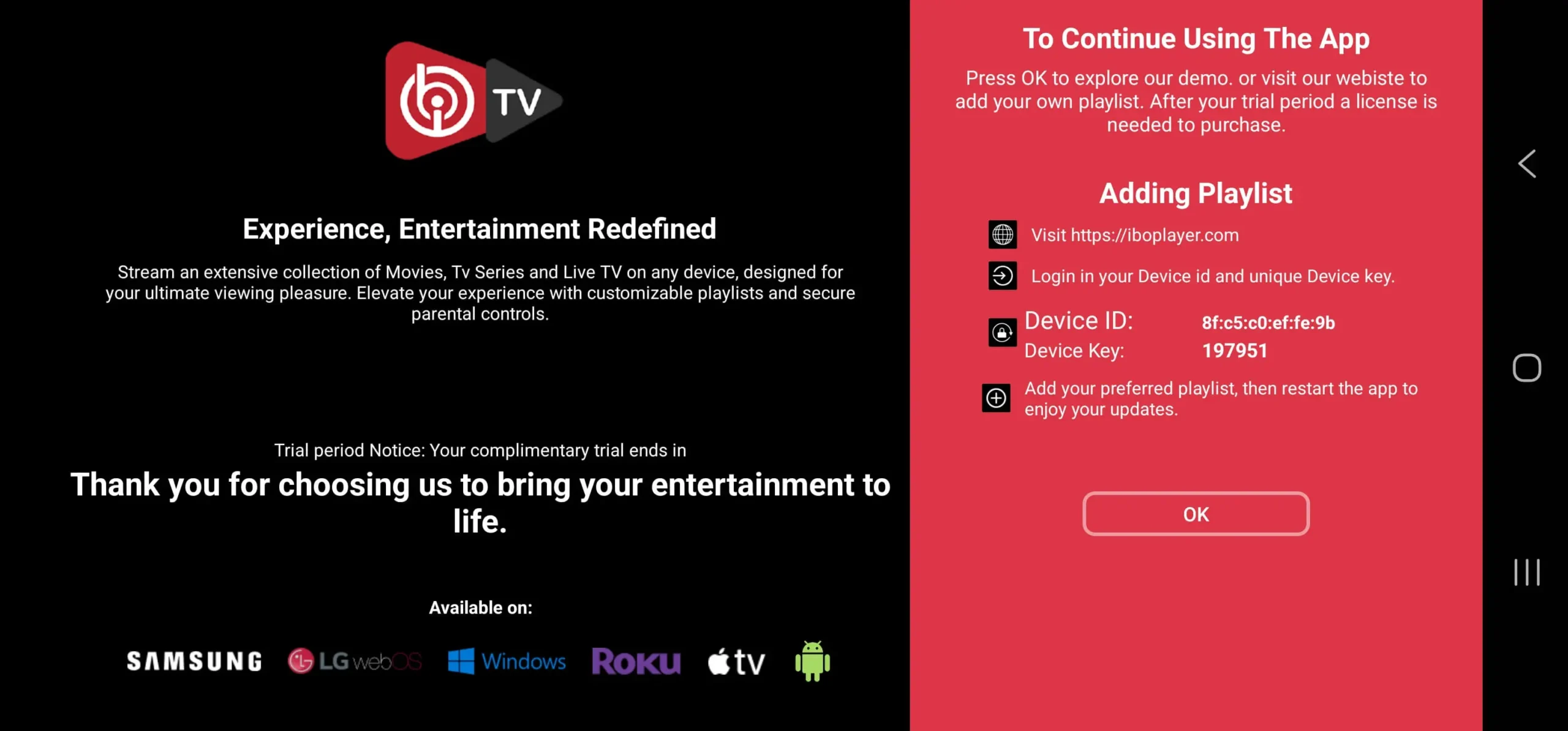
Open the app (Ibo Player) and take note of the unique Device ID and Device Key displayed on your screen.
WhatsApp or email us your Device ID and Device Key, and we will upload the playlist for you.
Email: [email protected]
WhatsApp: +1 780-652-6203
Email: [email protected]
WhatsApp: +1 780-652-6203
You will be notified once the Playlist has been uploaded.